OnlyOfficeに、日本語のフォントを追加するという作業をおこないました。以下の3種類について搭載することができましたので、その記録になります。
搭載した日本語のフォント
fonts-ipafont-gothic
fonts-ipafont-mincho
fonts-noto-cjk
下記のコマンドを実行しました。
ubuntu@:/ $ sudo docker exec onlyoffice apt-get update && sudo docker exec onlyoffice apt-get install -y fonts-ipafont-gothic fonts-ipafont-mincho fonts-noto-cjk
自動的に、ダウンロードされました。
実行結果はこちら
| Get:1 https://download.onlyoffice.com/repo/debian squeeze InRelease [10.7 kB] |
| Get:2 https://download.onlyoffice.com/repo/debian squeeze/main amd64 Packages [77.2 kB] |
| Get:3 http://archive.ubuntu.com/ubuntu noble InRelease [256 kB] |
| Get:4 http://security.ubuntu.com/ubuntu noble-security InRelease [126 kB] |
| Get:5 http://security.ubuntu.com/ubuntu noble-security/restricted amd64 Packages [2,277 kB] |
| Get:6 http://archive.ubuntu.com/ubuntu noble-updates InRelease [126 kB] |
| Get:7 http://archive.ubuntu.com/ubuntu noble-backports InRelease [126 kB] |
| Get:8 http://security.ubuntu.com/ubuntu noble-security/universe amd64 Packages [1,563 kB] |
| Get:9 http://security.ubuntu.com/ubuntu noble-security/multiverse amd64 Packages [55.6 kB] |
| Get:10 http://security.ubuntu.com/ubuntu noble-security/main amd64 Packages [1,514 kB] |
| Get:11 http://archive.ubuntu.com/ubuntu noble/main amd64 Packages [1,808 kB] |
| Get:12 http://archive.ubuntu.com/ubuntu noble/multiverse amd64 Packages [331 kB] |
| Get:13 http://archive.ubuntu.com/ubuntu noble/universe amd64 Packages [19.3 MB] |
| Get:14 http://archive.ubuntu.com/ubuntu noble/restricted amd64 Packages [117 kB] |
| Get:15 http://archive.ubuntu.com/ubuntu noble-updates/restricted amd64 Packages [2,403 kB] |
| Get:16 http://archive.ubuntu.com/ubuntu noble-updates/multiverse amd64 Packages [61.7 kB] |
| Get:17 http://archive.ubuntu.com/ubuntu noble-updates/universe amd64 Packages [2,184 kB] |
| Get:18 http://archive.ubuntu.com/ubuntu noble-updates/main amd64 Packages [1,843 kB] |
| Get:19 http://archive.ubuntu.com/ubuntu noble-backports/universe amd64 Packages [36.0 kB] |
| Get:20 http://archive.ubuntu.com/ubuntu noble-backports/main amd64 Packages [49.0 kB] |
| Get:21 http://archive.ubuntu.com/ubuntu noble-backports/multiverse amd64 Packages [669 B] |
| Fetched 34.3 MB in 1min 2s (552 kB/s) |
| Reading package lists… |
| Reading package lists… |
| Building dependency tree… |
| Reading state information… |
| Suggested packages: |
| fonts-noto-cjk-extra |
| The following NEW packages will be installed: |
| fonts-ipafont-gothic fonts-ipafont-mincho fonts-noto-cjk |
| 0 upgraded, 3 newly installed, 0 to remove and 34 not upgraded. |
| Need to get 69.5 MB of archives. |
| After this operation, 122 MB of additional disk space will be used. |
| Get:1 http://archive.ubuntu.com/ubuntu noble/universe amd64 fonts-ipafont-gothic all 00303-21ubuntu1 [3,513 kB] |
| Get:2 http://archive.ubuntu.com/ubuntu noble/universe amd64 fonts-ipafont-mincho all 00303-21ubuntu1 [4,724 kB] |
| Get:3 http://archive.ubuntu.com/ubuntu noble/main amd64 fonts-noto-cjk all 1:20230817+repack1-3 [61.2 MB] |
| debconf: delaying package configuration, since apt-utils is not installed |
| Fetched 69.5 MB in 8s (8,992 kB/s) |
| Selecting previously unselected package fonts-ipafont-gothic. |
| (Reading database … 33237 files and directories currently installed.) |
| Preparing to unpack …/fonts-ipafont-gothic_00303-21ubuntu1_all.deb … |
| Unpacking fonts-ipafont-gothic (00303-21ubuntu1) … |
| Selecting previously unselected package fonts-ipafont-mincho. |
| Preparing to unpack …/fonts-ipafont-mincho_00303-21ubuntu1_all.deb … |
| Unpacking fonts-ipafont-mincho (00303-21ubuntu1) … |
| Selecting previously unselected package fonts-noto-cjk. |
| Preparing to unpack …/fonts-noto-cjk_1%3a20230817+repack1-3_all.deb … |
| Unpacking fonts-noto-cjk (1:20230817+repack1-3) … |
| Setting up fonts-noto-cjk (1:20230817+repack1-3) … |
| Setting up fonts-ipafont-mincho (00303-21ubuntu1) … |
| update-alternatives: using /usr/share/fonts/opentype/ipafont-mincho/ipam.ttf to provide /usr/share/fonts/truetype/fonts-japanese-mincho.ttf (fonts-japanese-mincho.ttf) in auto mode |
| Setting up fonts-ipafont-gothic (00303-21ubuntu1) … |
| update-alternatives: using /usr/share/fonts/opentype/ipafont-gothic/ipag.ttf to provide /usr/share/fonts/truetype/fonts-japanese-gothic.ttf (fonts-japanese-gothic.ttf) in auto mode |
| Processing triggers for onlyoffice-documentserver (10.0.0-169) … |
| Generating AllFonts.js, please wait…Done |
| Generating presentation themes, please wait…Done |
| Generating js caches, please wait…Done |
| * Reloading nginx configuration nginx |
| …done. |
| ubuntu@$ exit |
フォント搭載後は、OnlyOfficeに日本語フォントが搭載できました。
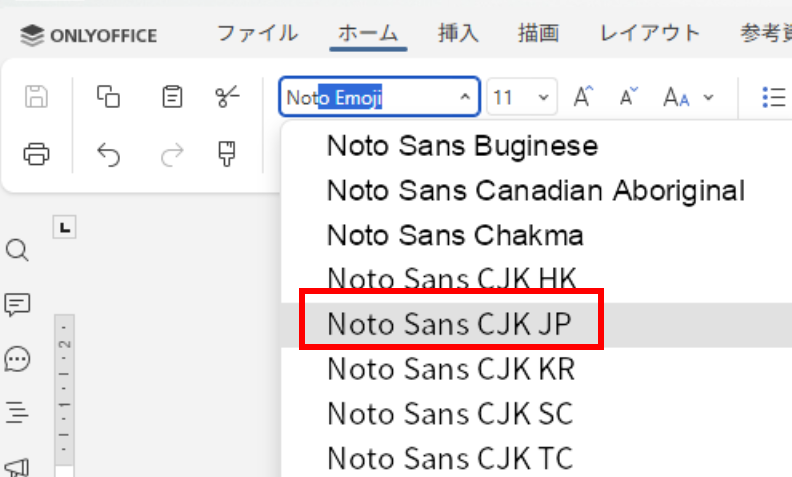
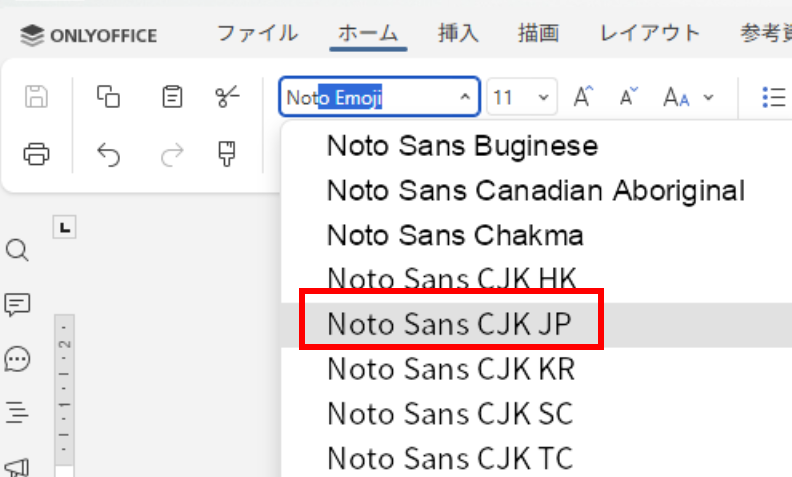
日本語フォントを搭載できたので、いくつか試してみました。
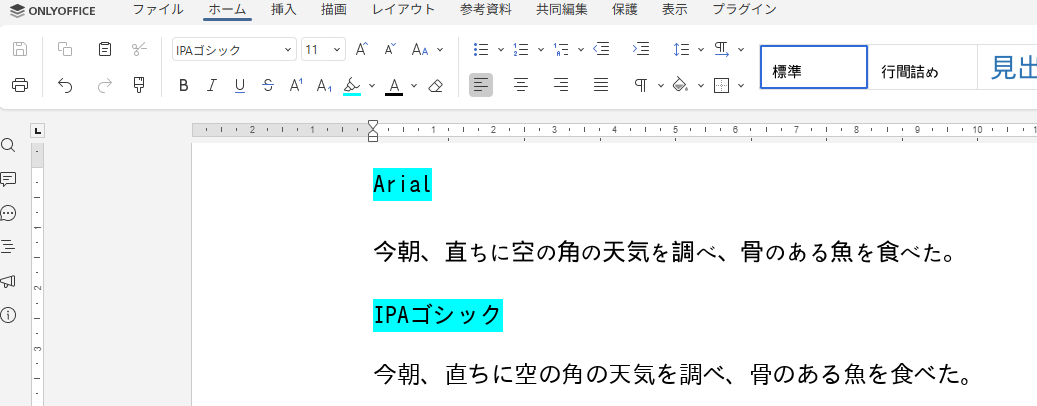
ゴシック以外も試してみましょう。
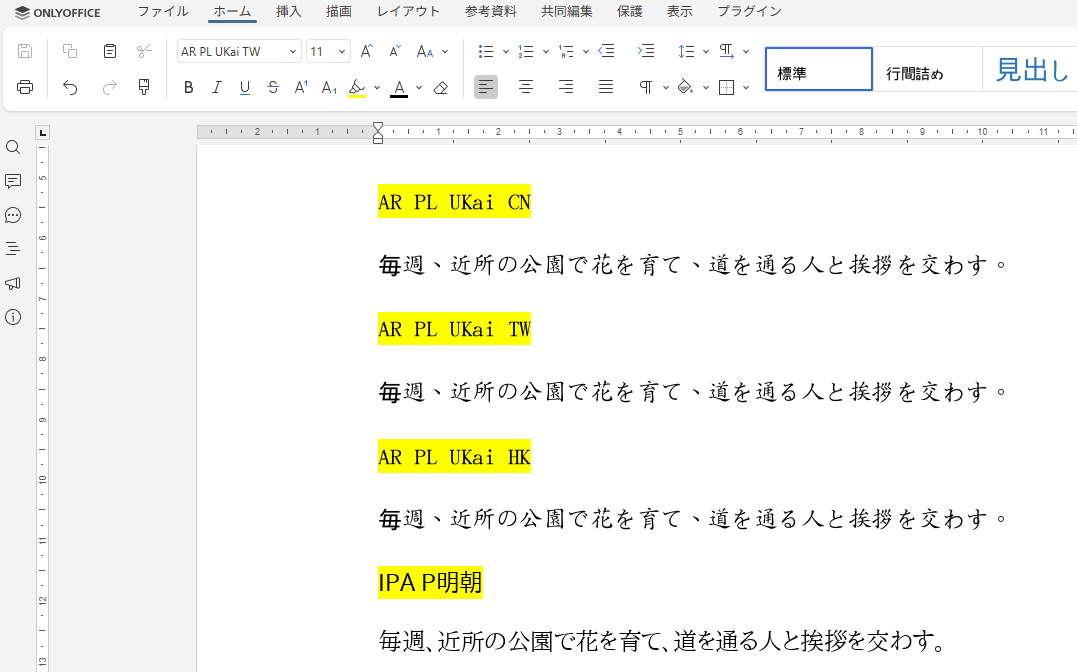
「AR PL UKai CN」というフォントを利用すると、日本語がかなり乱れました。句読点やひらがなの位置がずれるようです。

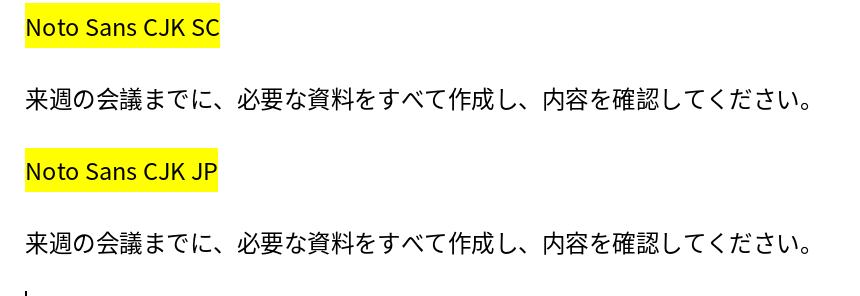
ゴシックだとあまり差がでないようですが、微妙に差があるようです。しんにょうや、確認の文字が少し異なるようですね。

ということで、日本語フォントをWEBブラウザのOnlyOfficeから利用できるようになりました。